

Playing
How do I play?
Tap the box at the front of a column. It moves to a free slot on the shelf, and its ants march out to eat the exposed cubes of their color. A level ends when the whole picture is eaten.
What are the slots?
They’re the spaces on the shelf above the line of boxes. There are 4 slots, or 5 in the first tutorial levels. A box leaves its slot once its ants have carried home all its cubes.
The colony is stuck. What now?
The colony gets stuck when every slot holds a box whose color is still buried. To get moving again:
- use an Extra Slot or a Send Back;
- watch a video for a free slot;
- or restart the level.
Next time, look ahead and tap first the boxes whose color is already showing. Turn on “Glow on ready boxes” in the game’s Settings to see which boxes can eat right away.
Is there a timer?
No. Take as long as you like. The speed button only changes how fast the ants walk. Everyone plays at 1×. Premium adds 2×, and 3× once you’ve earned 15,000 coins by playing.
I find some colors hard to tell apart.
Turn on “Color symbols” in the game’s Settings. Every box and cube gets a symbol for its color.
Surprise and tied boxes
What is a surprise box?
A box with a question mark. Its color shows only when it reaches a slot, so keep a slot free in case it’s a color the ants can’t reach yet.
What is a tied box?
A box held by a knot. It can’t move until you tap other boxes. The number on the knot shows how many taps are left.
Boosters
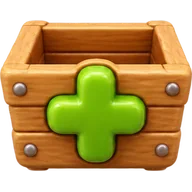
Extra Slot
Opens one more slot until the end of the level.
Unlocks at level 3
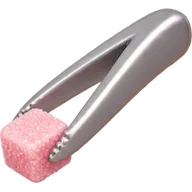
Tweezers
Grabs any box in the line, even one at the back.
Unlocks at level 5

Send Back
Sends a box from a slot back to the line.
Unlocks at level 8
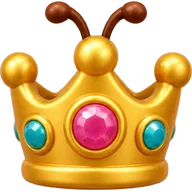
Queen
Calls the whole swarm to clear every cube of one color.
Unlocks at level 12
How do I use a booster?
Tap its button at the bottom of the screen and follow the hint. With the Tweezers, tap the box you want. With Send Back, tap the box in a slot. With the Queen, tap a box or a cube of the color to clear.
How do I get more boosters?
You get a few for free when each booster unlocks. After that, buy them with coins in the Shop. Coins come from levels, daily gifts and optional videos, or from coin packs.
Photo levels
How do photo levels work?
Tap Photo on the home screen and pick a photo of your pet, a snack or a toy. Munchy Ants cuts out the subject and turns it into sugar cubes. Choose Easy, Medium or Hard, and call the ants.
Is my photo uploaded?
No. The photo is processed on your iPhone and never leaves it. We never see it.
How many photo levels can I make?
Three a day for free. With Premium, as many as you like.
My photo didn’t work.
Try another photo with the subject right in the middle and a simple background. Only use your own photos or ones you have permission to use.
Game Center and the league
Do I need Game Center?
No. Signing in is optional, and you can play everything without it. If you sign in, your total stars and the cubes you eat each week go to the world leaderboards, next to your Game Center nickname.
How does the weekly league work?
Every week your colony races rival colonies from the game. Points are the cubes you eat that week, and the top 3 move up a league.
How do I change my nickname or sign out?
Open the Settings app on your iPhone and tap Game Center.
Languages and progress
Which languages does Munchy Ants speak?
English and Brazilian Portuguese. The game follows your iPhone’s language. To pick a language just for Munchy Ants, open Settings › Apps › Munchy Ants › Language.
Where is my progress saved?
On your iPhone. There’s no account, so deleting the app erases your progress, coins and boosters. Your progress comes along when you set up a new iPhone from an iCloud or computer backup.
Purchases and refunds
How do I restore my purchases?
Open Settings in the game (the gear on the home screen) and tap Restore purchases. You’ll also find it at the bottom of the Shop. Use the same Apple Account you bought with.
Restoring brings No Ads and Premium back. Coin packs and bundles are used up when you get them, so they can’t be restored.
How do I get a refund?
Apple handles all payments, so refunds come from Apple. Ask for one at reportaproblem.apple.com. Apple reviews each request.
My purchase is pending.
Some purchases, like those that need approval through Ask to Buy, arrive once they’re approved. Keep the game open or come back later.
Ads and privacy
Are there ads?
Some. You choose when to watch a rewarded video, for example to double your coins or get a free slot when the colony is stuck. The game may also show an ad between levels, never right after you lose. No Ads or Premium removes the ads between levels.
How do I change my ad privacy choices?
In the game, open Settings › Ad privacy. This option appears where the law requires it, such as in the European Economic Area, the UK, Switzerland and some US states.
To stop apps from asking to track you, open Settings › Privacy & Security › Tracking on your iPhone.
What data does the game collect?
We don’t collect personal data: there’s no account, your progress stays on your iPhone and your photos are never uploaded. Google AdMob, which shows the ads, may collect some data. Our privacy policy has the details.
Still need help?
Write to us. A person reads every email, and we usually reply within two business days.
It helps if you tell us:
- your iPhone model and iOS version;
- the level number, if it’s about a level;
- what happened, with a screenshot if you can.