How to Stop Doomscrolling: 12 Gentle Ways to Put It Down
How to stop doomscrolling: why the feed is so sticky, 12 gentle ways to put your phone down, settings that help and what to do instead.
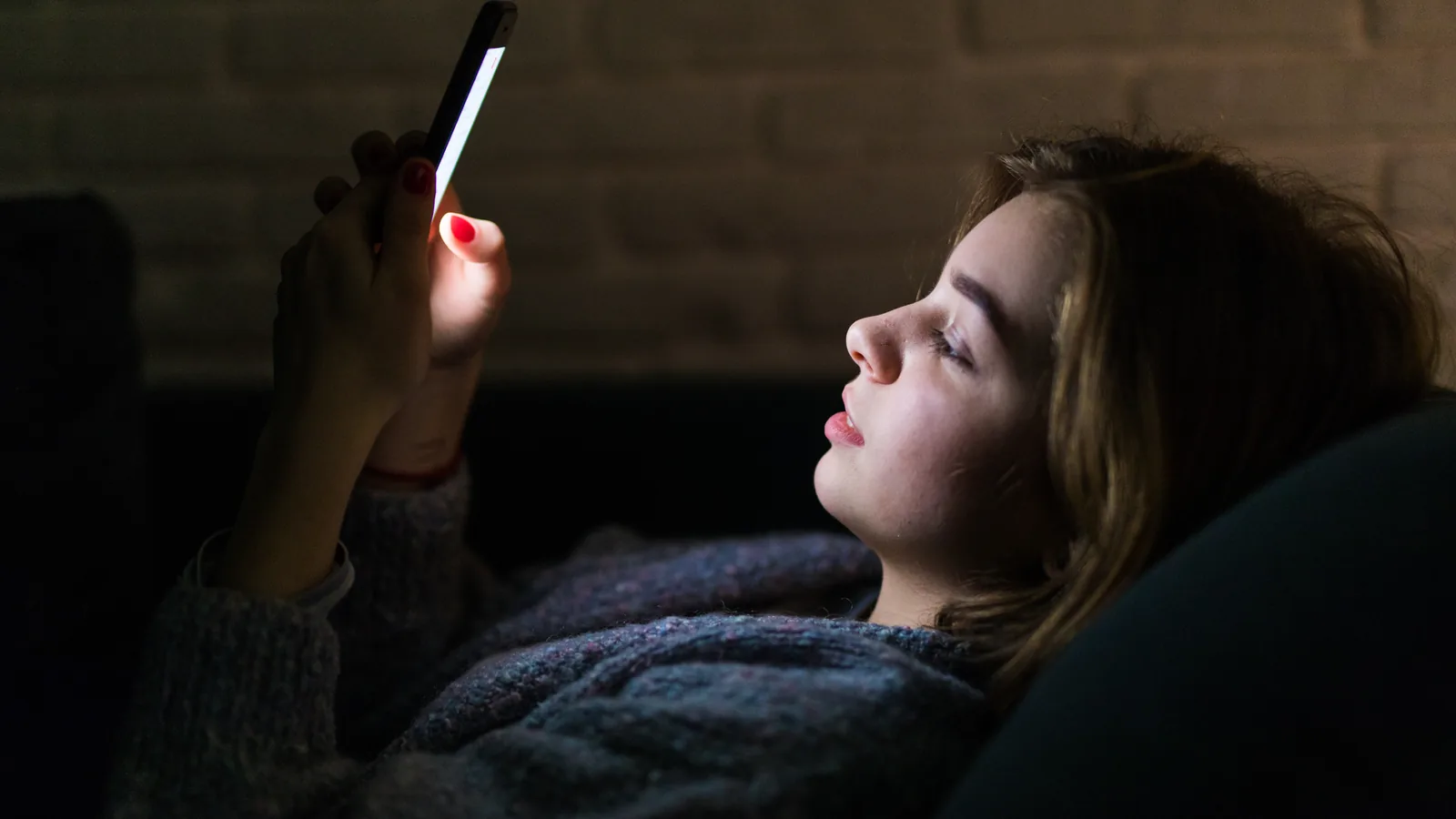
To stop doomscrolling, don't count on willpower at 11 p.m. Change the setup instead: bring a stopping point to the feed, make the phone a little harder to reach and keep something better ready for your hands. That's how to stop doomscrolling without a dramatic digital detox. Below: why the feed is so sticky, what it does to your mood, 12 gentle fixes, the phone settings that help and what to do instead.
Key takeaways
- Doomscrolling is scrolling through bad news or endless feeds long after it stops helping.
- In one study, young adults reported more depression and stress symptoms on days they used social media for pandemic news.
- Limiting three social apps to 10 minutes each a day for three weeks reduced loneliness and depression in one experiment.
- Change the setup, not your willpower: phone out of the bedroom, daily limits, grayscale.
- Swap the infinite feed for things that end: a chapter, a crossword, one puzzle level.
What is doomscrolling, and why is it so hard to stop?
Doomscrolling is scrolling through bad news, outrage or endless short videos long after it has stopped informing you. University of Vermont researchers describe it as the low mood that follows viewing pandemic-related media (Price and colleagues, 2022). Mindless scrolling is its milder cousin: the same thumb movement with less dread.
Three things make it sticky:
- The feed has no bottom. A book has a last page and an episode has credits. A feed refreshes forever, so it never offers a natural place to stop.
- Bad news feels urgent. Watching a crisis feels like it keeps you safe. In a 2017 American Psychological Association survey of 3,440 US adults, 95% said they follow the news regularly, and 56% said doing so causes them stress (APA, 2017).
- Switching feeds boredom. In seven experiments with 1,223 people, University of Toronto researchers found that skipping and fast-forwarding through videos made people more bored, not less. Results were less clear with articles and outside student groups.
So scrolling while feeling worse isn't a character flaw. The feed is built to keep going, and by evening you're tired.
How does doomscrolling affect your mood and stress?
It often adds worry you didn't have before. The research is young and mostly shows links, not proof.
In the Vermont study, 61 young adults aged 18 to 20 answered a short survey every day for 30 days in April 2020. On days they used social media for pandemic news, they reported more symptoms of depression and post-traumatic stress, especially those with harder childhoods. Traditional news showed no such link. The authors note the arrow likely points both ways: people who already felt worse also scrolled more.
Cutting back seems to help. At the University of Pennsylvania, Hunt and colleagues asked 143 undergraduates to limit Facebook, Instagram and Snapchat to 10 minutes per app per day for three weeks. Compared with a group that used them as usual, they reported significant drops in loneliness and depression. Both groups felt less anxious, which the authors credit to simply tracking their use.
The World Health Organization agrees: too much time following news on TV and social media can increase stress, so limit it if it does.
If you've felt low for weeks, or scrolling has become a way to avoid feelings, talk to your doctor or a mental health professional. If you're in crisis in the US, call or text 988.
How to stop doomscrolling: 12 gentle ways
You don't need to delete every app. Pick two or three of these and keep them for a week.
1. Notice the moment you reach for the phone
Most doomscrolling starts on autopilot: waiting for the kettle, after a hard email, in bed. For one day, notice when you reach and what you feel. Bored? Anxious? Tired? Naming it gives you a second to choose.
2. Decide your stopping point first
"Until the bus comes" works better than "a few minutes." The feed won't stop you, so bring the stopping point with you.
3. Charge your phone outside the bedroom
Bedtime is prime doomscrolling time. Charge the phone in the kitchen and use a cheap alarm clock. For a calmer evening, try this routine to unwind after work, or follow a simple night routine that ends with the phone on its charger outside the bedroom.
4. Move feed apps off your home screen
Put social and news apps in a folder on the last page. A few extra swipes give your brain time to ask, "Do I want this?"
5. Log out of one app
Typing a password is a small wall. Try it on your biggest time sink.
6. Turn off news alerts
Breaking-news alerts pull you into the feed at random moments. Check one or two trusted sources at set times instead.
7. Choose news that ends
A daily newsletter or the evening news has a beginning and an end. You stay informed, and the news stops when the program does.
8. Set a news curfew
Pick an hour, say 9 p.m., after which you skip the news. A news curfew is one of our small habits to slow down.
9. Edit your feed
Mute accounts that leave you angry or scared. Follow a few that make you laugh.
10. Swap the scroll for a body break
When you catch yourself, stand up, stretch or step outside for two minutes. For more one-minute ideas, try these quick ways to clear a busy brain.
11. Text a person instead of watching people
Scrolling through strangers' lives is a lonely kind of company. Send one message to a friend. A real reply beats a hundred likes.
12. Be kind when you slip
You'll still lose an evening sometimes. Put the phone on the charger and try again tomorrow. Beating yourself up tends to send you straight back to the feed.
Things to do instead of scrolling
The urge to scroll usually means you want rest, distraction or company. Give yourself a better version of the same thing.

- Read a few pages of a paper book. Keep one by the bed, where the phone used to be.
- Do a crossword or sudoku on paper. Your hands stay busy, and the puzzle ends.
- Use your hands: knitting, sketching or a few chords on the guitar.
- Listen to one album start to finish.
- Walk around the block after dinner.
- Play a paper game with someone at home, like dots and boxes from our games to play when bored.
- Do one small chore, like washing three mugs.
Make your phone less sticky: settings that help
Settings won't fix the habit, but they add friction at the right moment. These paths come from Apple and Google support pages, checked on November 23, 2026.
iPhone
- Time Allowances (iOS 27): go to Settings > Screen Time > Time Allowances and set daily time for categories like Social Media or Entertainment (Apple, iOS 27). On iOS 26 it's called App Limits: Settings > Screen Time > App Limits > Add Limit (Apple, iOS 26).
- Screen Time Schedule (iOS 27): go to Settings > Screen Time > Screen Time Schedule, turn on Schedule and add time windows, like an evening without social apps. On iOS 26, use Downtime: Settings > Screen Time > Downtime > Scheduled, then set start and end times.
- Grayscale: go to Settings > Accessibility > Display & Text Size > Color Filters, turn on Color Filters and pick Grayscale (Apple). A gray feed is less tempting: in a 2020 study, college students who switched to grayscale reduced their screen time.
- Focus: go to Settings > Focus, pick one like Personal or Do Not Disturb and choose which people and apps can notify you. Tap Add Schedule to turn it on automatically (Apple).
Apple's iOS 26 guide notes that, by default, limits can be ignored once reached. Treat them as a speed bump, not a wall.
Android
- App timers: go to Settings > Digital Wellbeing > App timers and tap Set timer next to the app. When time runs out, the app closes and its icon dims until midnight (Google).
- Bedtime mode: go to Settings > Digital Wellbeing > Bedtime mode > Bedtime routine and set a schedule. In the screen options, turn on Grayscale for a black-and-white screen at night.
- Focus mode: go to Settings > Digital Wellbeing > Focus mode, choose apps to pause and tap Set a schedule.
Menu names may vary by device, Google notes.
If you still want your phone: choose things that end
Sometimes you want the phone, and that's fine. Just pick something with a built-in finish line. Our finite swap list:
- Instead of the news feed: one daily newsletter or the evening bulletin.
- Instead of short videos: one full episode you chose on purpose.
- Instead of social feeds: a voice note to one friend.
- Instead of shopping scrolls: a written shopping list.
- Instead of scrolling in bed: one chapter or one crossword.
- Instead of scrolling in a queue: one daily word puzzle or one short puzzle level.
That last swap is where our game fits. Munchy Ants is a calm, no-timer color puzzle where ants eat a pixel-art picture made of sugar cubes. You tap a box, and a line of ants marches out to munch the cubes of its color. Each level ends when the picture is gone, a natural moment to put the phone down. It's free to play on iPhone and Android.

Munchy Ants
A calm color puzzle with no timer. Play at your own pace. Free to play.
Whatever you pick, choose one thing before you start. When it ends, so does the session.
Frequently asked questions
Why can't I stop doomscrolling?
Feeds have no natural ending and bad news feels urgent, so your brain keeps hunting for the next update. Tiredness makes it worse: late at night you have less energy to stop. Since design is part of the problem, change the setup: decide a stopping point first and charge the phone outside the bedroom.
What can I do instead of scrolling?
Pick something that ends on its own and keeps your hands busy: a few pages of a paper book, a crossword, a short walk, a quick chore or a message to a friend. If you still want your phone, choose one episode or one puzzle level instead of an endless feed.
How do I stop mindless scrolling at night?
Charge your phone outside the bedroom and use a basic alarm clock. Set a news curfew an hour before bed, and schedule a Screen Time Schedule on iPhone or Bedtime mode with grayscale on Android. Keep a book by the bed for the moment you'd normally reach for the phone.
Is doomscrolling bad for your mental health?
It can be, especially for people who already feel vulnerable. In a 30-day diary study, young adults reported more depression and stress symptoms on days they used social media for pandemic news. The research mostly shows links, not proof. If low mood lasts for weeks, talk to a doctor or a mental health professional.
How do I stop being on my phone so much?
Start small. Set daily limits for your two most-used apps, turn off notifications you don't need and keep the phone out of reach during meals and at bedtime. In one experiment, students who limited three social apps to 10 minutes each a day felt less lonely and less depressed after three weeks.
Sources
- Price, M., et al. (2022). Doomscrolling during COVID-19: The negative association between daily social and traditional media consumption and mental health symptoms during the COVID-19 pandemic. Psychological Trauma: Theory, Research, Practice, and Policy, 14(8), 1338-1346.
- Hunt, M. G., Marx, R., Lipson, C., & Young, J. (2018). No more FOMO: Limiting social media decreases loneliness and depression. Journal of Social and Clinical Psychology, 37(10), 751-768.
- American Psychological Association (2017). APA Stress in America survey: US at lowest point we can remember. News release, EurekAlert!
- Tam, K. Y. Y., & Inzlicht, M. (2024). Fast-forward to boredom: How switching behavior on digital media makes people more bored. Journal of Experimental Psychology: General, 153(10), 2409-2426.
- Holte, A. J., & Ferraro, F. R. (2020). True colors: Grayscale setting reduces screen time in college students. The Social Science Journal, 60(2), 274-290.
- World Health Organization. Stress: questions and answers.
- Apple. iPhone User Guide: Set Screen Time Schedules and Time Allowances (iOS 27), Set schedules with Screen Time (iOS 26), Change display colors and Set up a Focus.
- Google. Manage how you spend time on your Android phone with Digital Wellbeing. Android Help.
- 988 Suicide & Crisis Lifeline.
- Photos: cover by diana.grytsku on Freepik, reading break by Freepik.
Munchy Ants
A calm color puzzle with no timer. Play at your own pace. Free to play.
This article is general information, not medical advice. If stress feels overwhelming, talk to a health professional. Written by the Munchy Ants team. See our editorial policy: how we research, check and correct our articles.